
<img src="https://ws.zoominfo.com/pixel/6169bf9791429100154fc0a2" width="1" height="1" style="display: none;">

Resources / Videos

Just-in-Time Access Workflows with Microsoft Teams

Requesting and approving access to critical resources is easy with StrongDM, now a part of Delinea, and our native Teams app. Implement Zero Standing Privileges and achieve Zero Trust without ever exposing credentials, thereby avoiding frustration with your users.

Transcript

Requesting and approving access to production resources is easy with StrongDM and Microsoft Teams.


After logging into the StrongDM desktop, open the Teams chat with the StrongDM bot and issue the slash StrongDM command.


Select catalog.


Search for the intended resource.


In this case, the Production Postgres database.


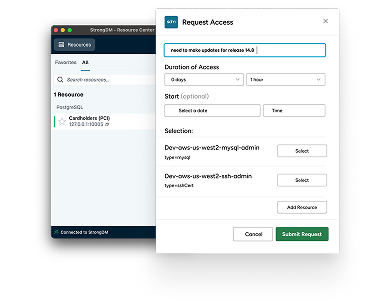
Select the resource. Enter a reason and time duration for the access request.


Submit the request.


An administrator can now approve or deny the request, and it can be done from teams.


With the request approved, the resource will now show up in the StrongDM desktop.


Connect to the resource and establish a session in the client of Choice.


Just-in-time access is frustration-free with StrongDM and Microsoft Teams.
Banner title

Lorem ipsum dolor sit amet, consectetur adipiscing elit. Curabitur varius augue a nibh feugiat.

Banner image
Categories
Default Tag Default Tag Default Tag Default Tag Default Tag Default Tag Default Tag Default Tag Default Tag Default Tag Default Tag