
<img src="https://ws.zoominfo.com/pixel/6169bf9791429100154fc0a2" width="1" height="1" style="display: none;">

Resources / Videos

Secure SSH Access with MFA and JIT

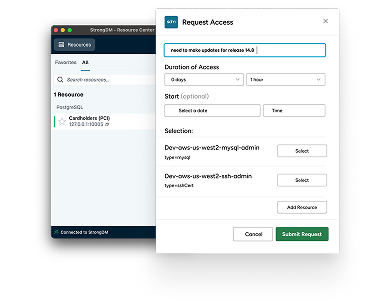
John Martinez shows how protecting access to your Linux servers is easy with MFA for SSH and a just-in-time access workflow with StrongDM. This policy easily creates and enforces access policies, requires MFA for added security, and streamlines access.

Transcript

We will be protecting access to a Linux server with MFA.

For SSH, establish access to a Linux server using a just-in-time access workflow.


After the SSH resource shows up on the StrongDM desktop, create the policy in the StrongDM admin UI.


Enter the name of the policy, edit the policy by clicking on its name.


Save the policy. Copy the server name from the StrongDM desktop you'll be prompted for an MFA prompt.


Adding MFA to any resource in your environment is painless with StrongDM.
Banner title

Lorem ipsum dolor sit amet, consectetur adipiscing elit. Curabitur varius augue a nibh feugiat.

Banner image
Categories
Default Tag Default Tag Default Tag Default Tag Default Tag Default Tag Default Tag Default Tag Default Tag Default Tag Default Tag