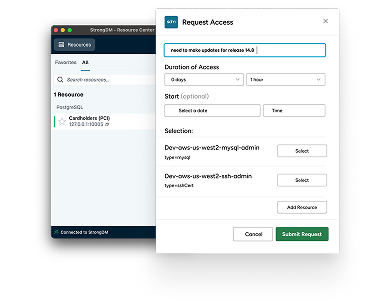
Darren Harlow with StrongDM showing an example of just-in-time privilege access to be able to complete database editing.
We'll be using this database, that is MA right here, the inventory database.
Today we're using Beekeeper Studio.
You can use whatever database software you want to use.
Connect on local host for one 10,007.
We'll run a simple query, select star from film and run the query.
Great. We've got this popup.
Let's go in and try to edit something.
Let's try to change Jennifer's name.
We hit apply and we get permission denied for table actor.
Okay, simple enough disconnect from here and we'll come back to this.
We're gonna go over to Microsoft Teams and we're gonna do a catalog and a request.
So access catalog, pop up, we hit catalog.
This is specifically the inventory database search.
There it is. We want rewrite access.
Why are we doing this for demo purposes?
And we're gonna only need 15 minutes, which give us auto approval based on our current policy that we've already set in place.
They submit the request and you'll see that it's here and you'll see that access was granted.
Now when I go back and attempt to connect, what will happen is it should also do a multi-factor authentication to my phone.
Just a second. So we come back over here.
Now you can see we have read write access.
We did this and now we're gonna go back to this beekeeper studio.
It's on port 10,008. We attempt to connect.
It's putting a multi-factor authentication to me, which I'm doing on my phone.
Yes, it's me. We're done.
Go back to Beekeepers studio and now we're in and we can do whatever editing we need to do.
All without using a password, just doing just-in-time access and all policy based.
Thank you for your time.