Requesting and granting escalated privileges and Kubernetes clusters is simple with StrongD’s privilege levels for Kubernetes, StrongDM supports discovery of Kubernetes rback groups to enable just-in-time and just enough access to your Kubernetes clusters.
I'll be showing how easy it is for a developer to gain escalated privileges during the same session on a production cluster.
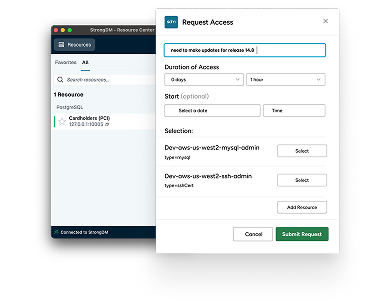
First, we'll request access to the production cluster via a Slack request.
We will leave the privileges box empty and leave it for the default one hour.
Once an admin approves the request, we'll see it in the StrongDM desktop UI.
From the command line, we'll first inspect our privilege levels.
For groups we'll see just the default system authenticated group, which gives us very few permissions.
If we try a command to list all of the pods in the cluster, we'll be denied.
Now, let's escalate and check our privilege level to SDM users, which gives us basic permissions on the cluster using the same slack workflow.
Again, this time we'll pick SDM users from the privileges section.
An admin is required to approve the request again.
Now let's rerun those two commands.
We now see the addition of the SDM users group, and I can run the get pods command.
Let's also open up a root shell to that N engine X pod that we see there.
If we try a destructive command, it will be denied.
In order to delete that pod, we need to rerun the commands using Kubernetes impersonation.
This StrongDM policy requires that I approve an MFA prompt before I run a destructive command.
Let's go ahead and do that with our MFA client.
I had approved.
If I rerun the auth command, I should see that I have that expanded group.
Let's retry the destructive command with StrongDM's Kubernetes support.
Getting just enough access to do my job is simple and secure.