In this episode, John breaks down Microsoft’s credential leak and why it’s more than just a simple mistake. Exposed internal passwords can pose serious security risks if not handled properly. Learn what went wrong - and how your organization can avoid the same pitfalls.
Hey everybody.
Welcome to today’s episode of John Has Trust Issues, where I discuss issues relevant to the world of authorization and zero trust in a few minutes.
I’m John Martinez. I’m the technical evangelist at StrongDM, and my trust issues stem from that email that just came in right before I started recording from the company CEO asking me for a Target gift card. And he needs it ASAP. That’s kind of weird. Why wouldn’t he just call me?
Today I’m talking about new reports of Microsoft employees exposing credentials of other employees, or probably themselves too, and internal files on a storage server. These articles don’t specify more details than that, but being in the cloud, I can only guess that these are not just servers—it could be object stores and similar systems.
As reported by TechCrunch and The Verge, what was exposed were code scripts, config files, and other materials holding very sensitive information like employee passwords and keys. There’s no mention of whether those were private keys or cryptographic keys, but we can assume they were sensitive. These credentials were used by Microsoft employees to access databases and other critical systems, including Azure. Apparently, a lot of this was related to search engine infrastructure.
The open storage was found by SOCRadar, a research company that specializes in identifying vulnerabilities and security issues. Microsoft was notified on February 6, and by March 5 everything was locked down and no longer accessible. That said, there’s no evidence either way on whether those files were accessed by malicious users.
Having worked in the cloud for a long time, I know that when servers or object stores are exposed, they are prime targets for scanners. Attackers are constantly looking for these openings. It’s very likely those systems were accessed quickly after exposure.
So what happens when credentials and sensitive data are exposed on the internet? There’s quite a bit of damage that could occur. Attackers could perform data exfiltration, especially if databases contained PII, PHI, or financial data. We don’t know what kind of data was involved - it could have been development or staging data - but the risk is there.
Another possibility is ransomware. Attackers could hold data hostage and demand payment, depending on its sensitivity. Cloud account takeover is also a real risk. Attackers could lock out legitimate users or spin up resources in hidden regions, possibly for crypto mining, which has been happening for a long time and can create a messy cleanup process.
One of the worst outcomes is unauthorized access to systems and applications. If an attacker gains shell access to a cloud server, they could move laterally within that environment or into connected networks. If that cloud environment is linked to a corporate network, the attacker could pivot into internal systems. The impact depends on the sensitivity of the data and the level of access those credentials provided.
This happened to Microsoft, but it could happen to anyone.
I like to end on a high note, so let’s talk about what we can do as cloud security and identity professionals to prevent this kind of damage.
First, don’t expose credentials. Don’t store them in code, GitHub repositories, or plain text files. It’s 2024 - lock these things down.
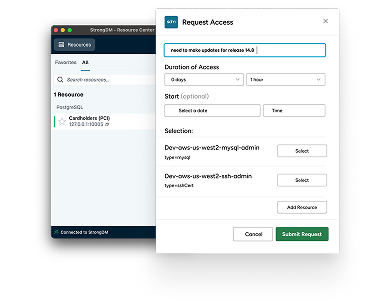
Especially when it comes to privileged access to servers, this is where StrongDM can help. It’s about not exposing credentials and controlling access to sensitive, critical resources in a simple and secure way.
Second, monitor your cloud security posture in real time where possible. If you find exposure, use automation to close it quickly. Real-time or near real-time response is absolutely achievable.
Finally, continuously authorize. This is a newer implementation of an established concept within zero trust architecture. With tools like StrongDM, you can enforce real-time policies with fine-grained permissions and contextual awareness.
For example, if a user’s device becomes compromised, you can react immediately - terminate sessions, remove access, and protect sensitive resources. You can also challenge users attempting high-risk or administrative actions.
The key takeaway is prevention and real-time response.
That’s another episode of John Has Trust Issues. This episode was sponsored by StrongDM - the real-time, modern access management platform that enables zero trust authorization for all of your infrastructure.
Thanks again for watching. Have a great day.