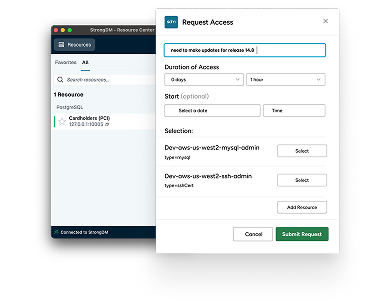
Requesting and approving access to critical resources is easy with StrongDM, now a part of Delinea, and our native Slack app. Implement Zero Standing Privileges and achieve Zero Trust in a way that won't frustrate your users without exposing credentials.
Requesting and approving access to production resources is easy with StrongDM and Slack.
Log into the strong DM desktop, then go to the StrongDM app and Slack.
Click on catalog search for production resources.
Using the tag dialogue, select the intended resource.
In this case, Postgre database. Enter a reason and a time duration.
An administrator will approve or deny the request.
Connect to the resource in the strong DM desktop.
Open your client of choice and establish the session to the resource.
Connecting to production resources is frustration-free with StrongDM and Slack.